How to Pay for Your NBI Clearance? All Payment Options (2026)
To get an NBI Clearance online, you have to follow the complete steps, right? These steps include submitting documents, verification, and fee payment. However, the whole process is worthless if you haven’t paid the fees.
Thinking about how to pay for your NBI Clearance? And its payment options? So, don’t worry! In 2026, the steps to pay the NBI Fees are easy and quick. Moreover, the fees for Clearance are also not high.
It only cost you around PHP 155. In PHP 155, PHP 130 is the clearance fee, and PHP 25 is the service charge. NBI supports various payment options so that Filipinos can easily pay their fees.
In this guide, all the NBI Clearance payment options to pay fees are discussed below in detail. So keep Reading!
NBI Clearance Fees for Different Situations
No matter If you are traveling abroad, making transactions, or adopting a child, you need a clearance certificate. And, for this, you have to pay the fees.
The fees slightly change for different situations. Here is a table that will help to know about the NBI Fees plan:
| Situation | Clearance Fee | E-Payment Service Fee | Total Estimated Cost |
| First-time | ₱130 | ₱25 | ₱155 |
| Application | |||
| First-time Job Seeker* | ₱80 | ₱25 | ₱105 |
| Regular Renewal | ₱130 | ₱25 | ₱155 |
| Quick Renewal (Door-to-Door Delivery) | ₱350 | Included | ₱350 |
| Payment via 7-Eleven (Cliqq) | ₱130 | ₱40 | ₱170 |
| Payment via Bayad Centers/OTC Banks | ₱130 | ₱25–₱50 | ₱155–₱180 |
| Online Payment (GCash, Maya, ShopiPay, Card) | ₱130 | ₱25–₱50 | ₱155–₱180 |
| Application Abroad (via MyEG or partner) | ₱130 | Shipping & handling varies | ₱350+ |
Acceptable Payment Options for Fee Paying at NBI
To make the fee-paying process simple and easy for everyone, NBI accepts various payment options. But, before knowing the payment option or payment process, you must ensure you meet the following criteria.
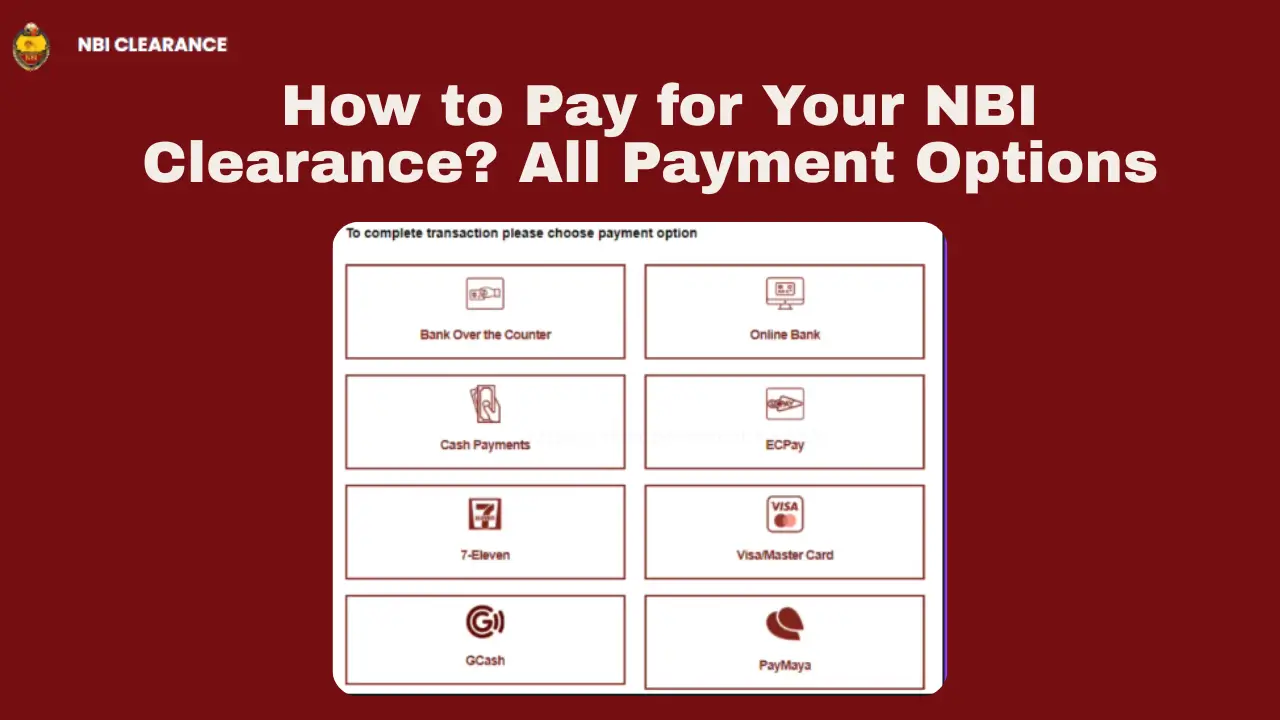
The acceptable payment options of NBI are listed below.
A detail of each method is mentioned in the given section. Here’s the Complete Guide to Pay Your NBI Clearance Using GCash in 2026
Payment Through 7-Eleven via CLIQQ
One of the most used and common methods to pay NBI clearance fees is the 7-Eleven. In this method, Filipinos pay fees by using a machine named CLIQQ Kiosk. It is easy to use and pays fees. Let’s explore all the steps:
Find the 7-Eleven Store.
Check Your Eligibility and select bill payment.
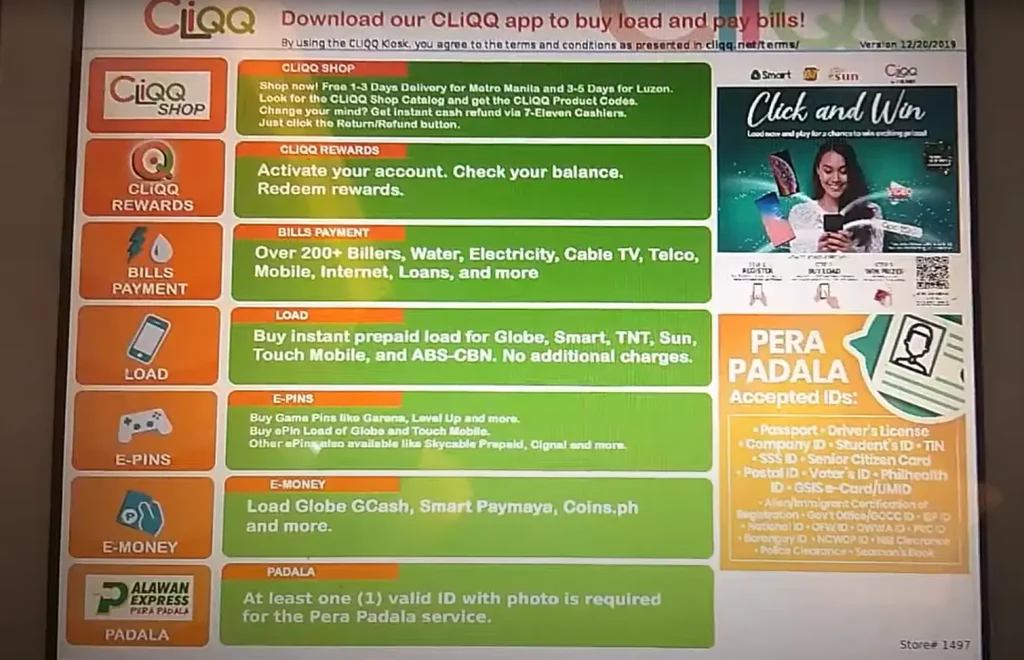
Enter Payment Details
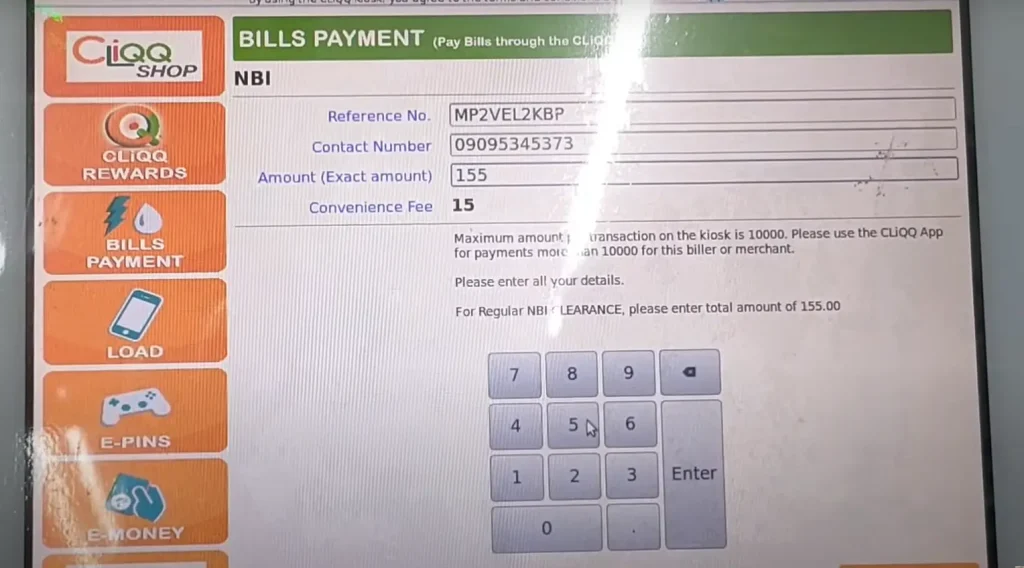
Now, on the screen, you will see a form of personal details. In the form, you have to provide:
Before submitting the form, you should double-check all your information to avoid issues. These steps include:
Do Verification
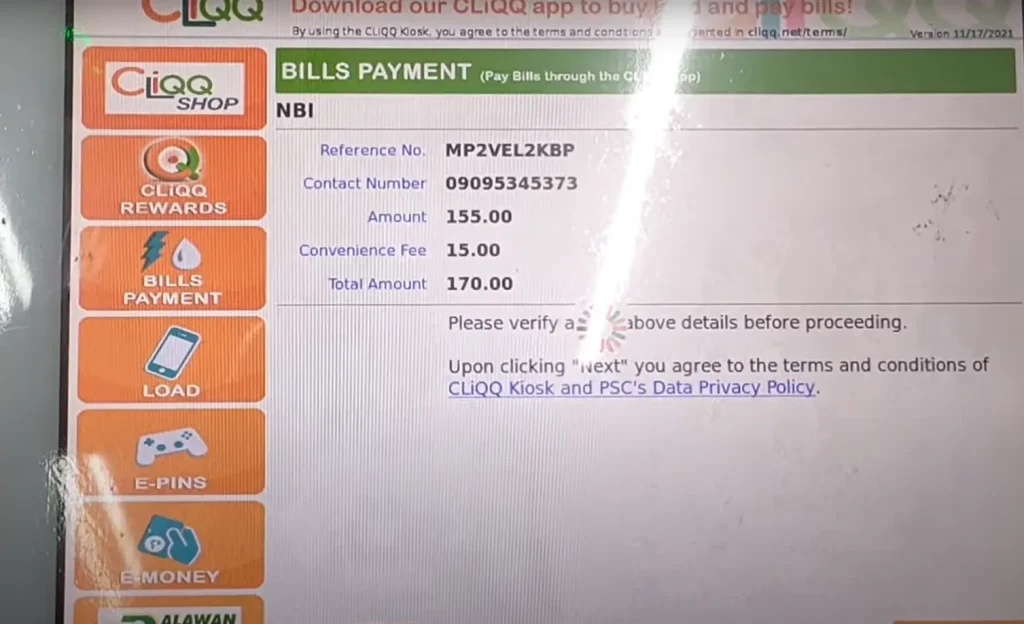
After you click on the submit button, the system will create a summary of your details to be more sure. These details include:
Complete the Payment Process
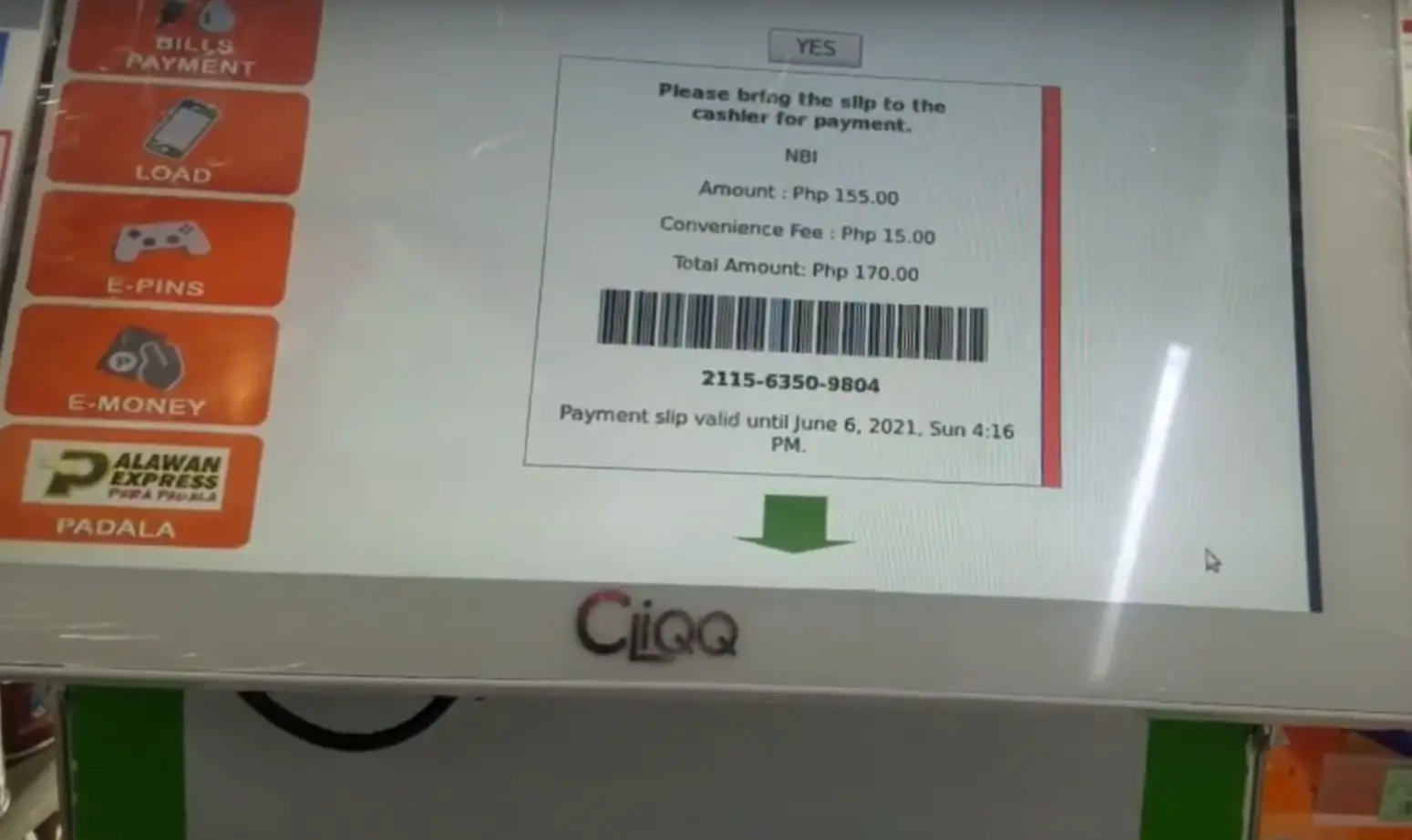
Payment Via Mobile Wallet
If you want to pay NBI fees from the comfort of your home, you can choose the mobile Wallet option.
However, there are hundreds of available mobile apps for free payment. Some common are GCash and Maya.
Here are the complete steps to pay NBI fees using a mobile wallet option:
Download and log into the app.
Go to the bill payment option.
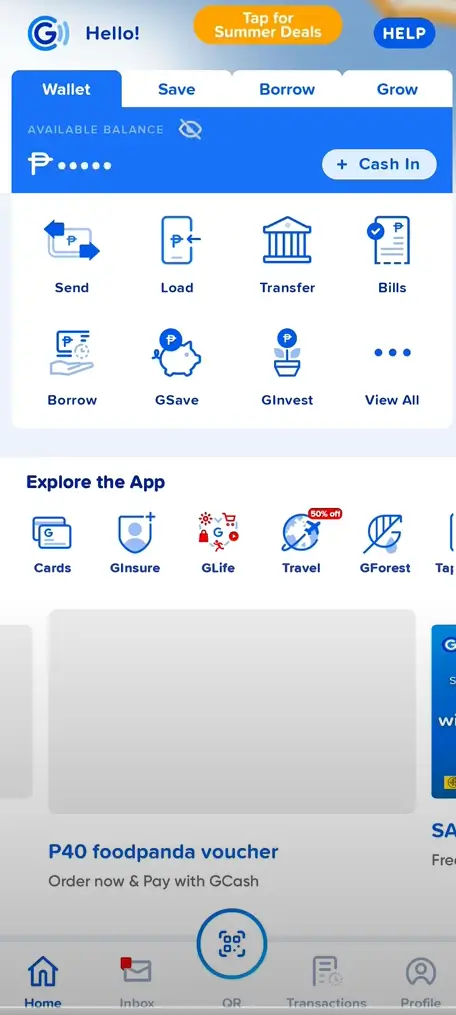
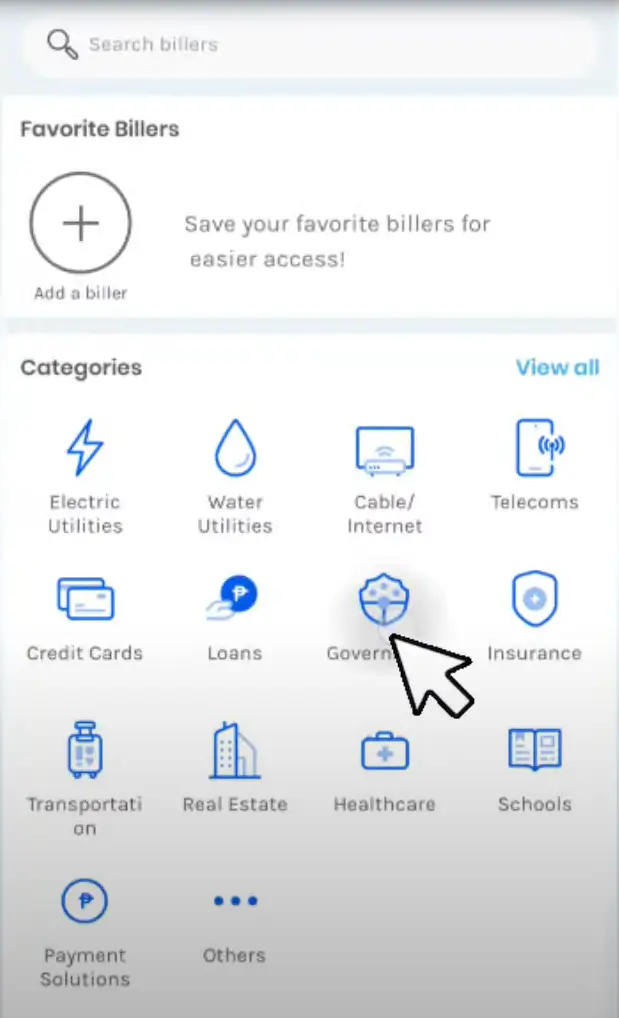
Select a government Option
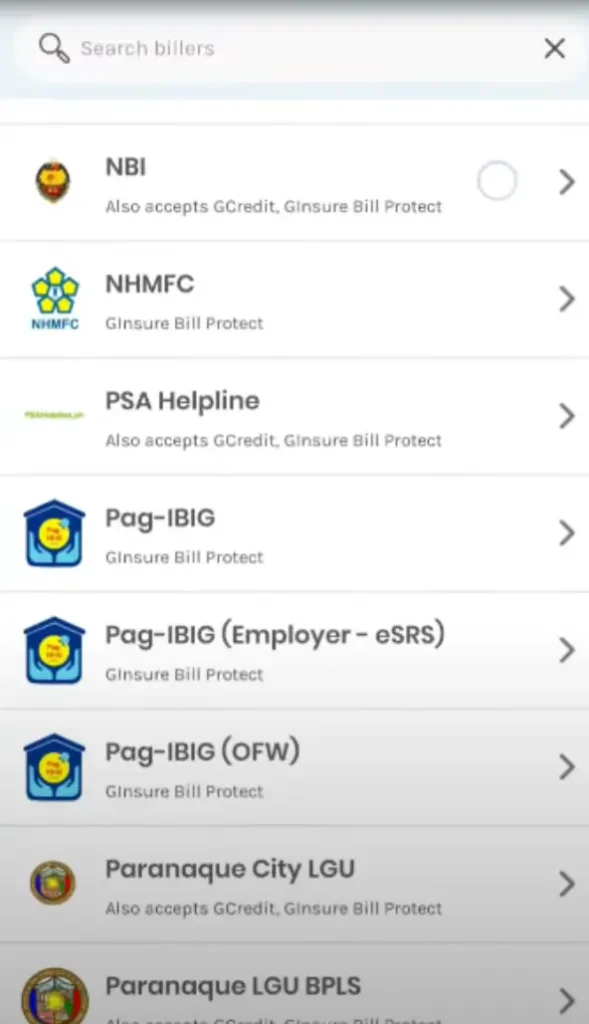
Enter your correct payment details
Now, in the form, you should enter your accurate details to avoid payment cancellation. The information you should provide is:
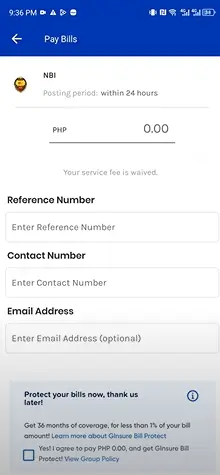
Verify your information and make payment.
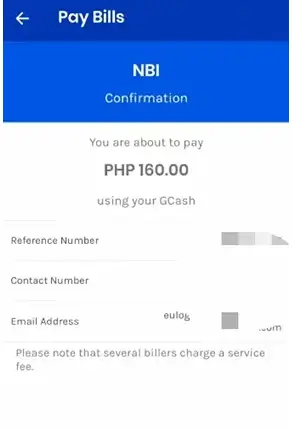
Now, before submitting your payment application, you should double-check your information. If anything is entered incorrectly, you should correct it. When all the information you entered is correct, click on the pay or confirm payment option.
Receive payment confirmation
After making a payment, you will get a payment confirmation within a few hours. To book an appointment or take care certificate, you should save this payment receipt.
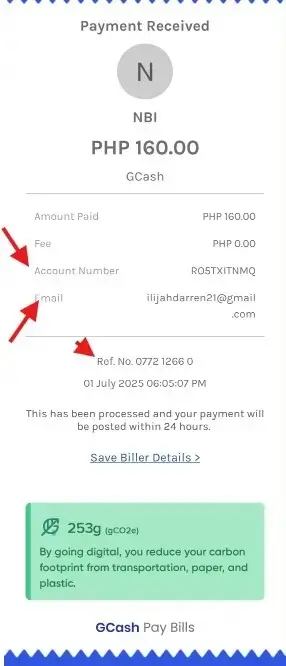
Payment via Bayad Center
Another option we have on the list to make a payment is Bayad Centre. Making payments with this method is also quick and easy.
All steps to pay your NBI Clearance fees with Bayad Center are mentioned below:
When selecting a payment option on the NBI website, you should click on the Bayad center.
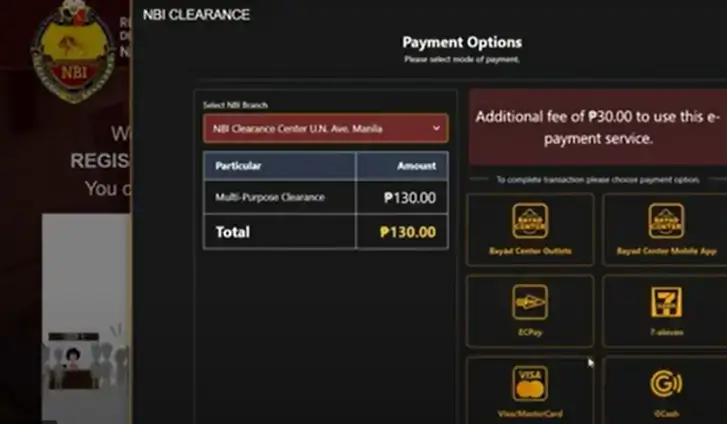
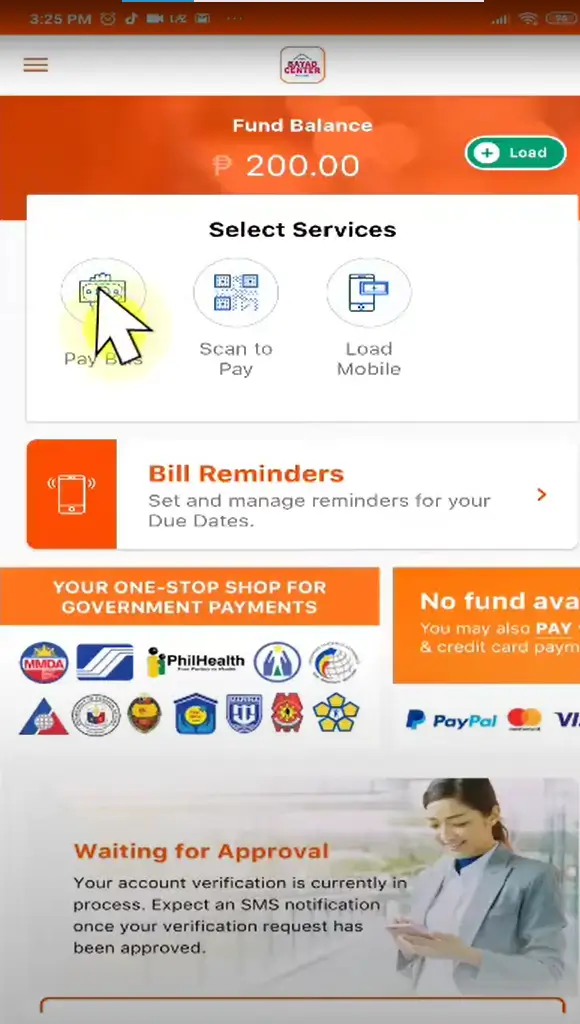 Bayad Center home screen with Pay Bills option
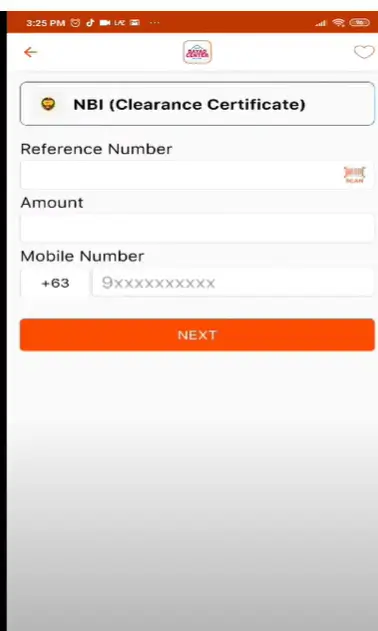 Entering NBI reference, amount, and number
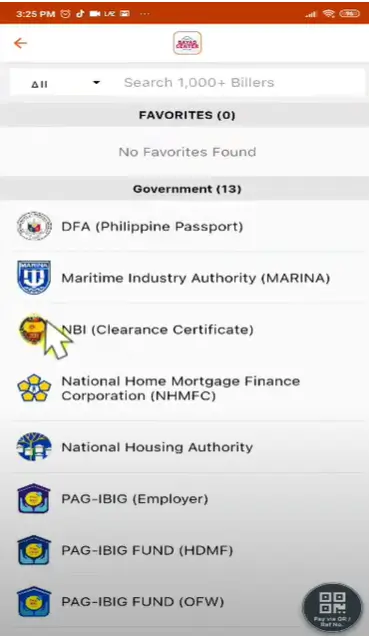 Selecting NBI Clearance from billers list
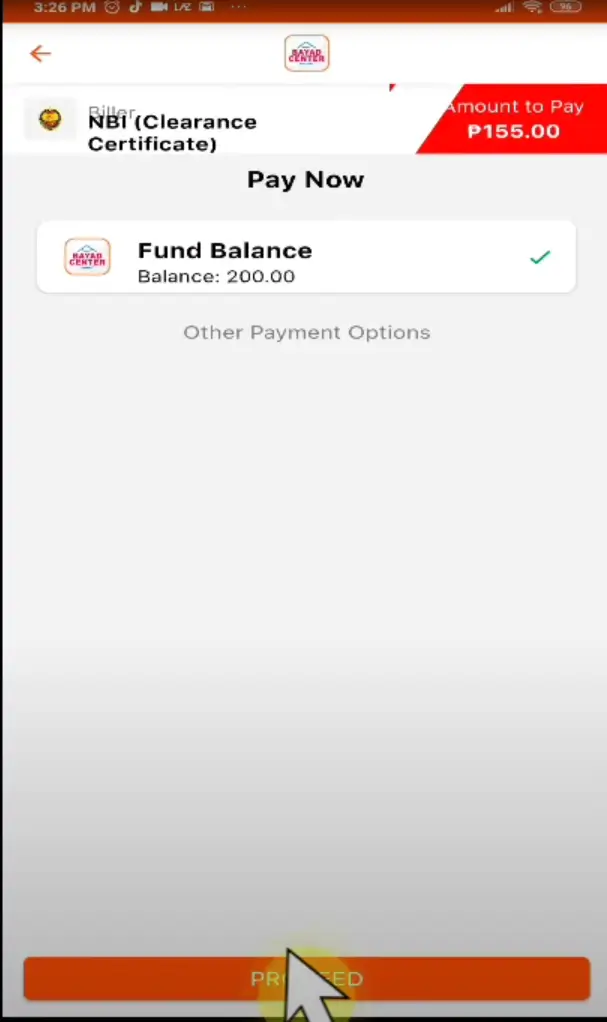 Choosing fund balance to pay NBI fee
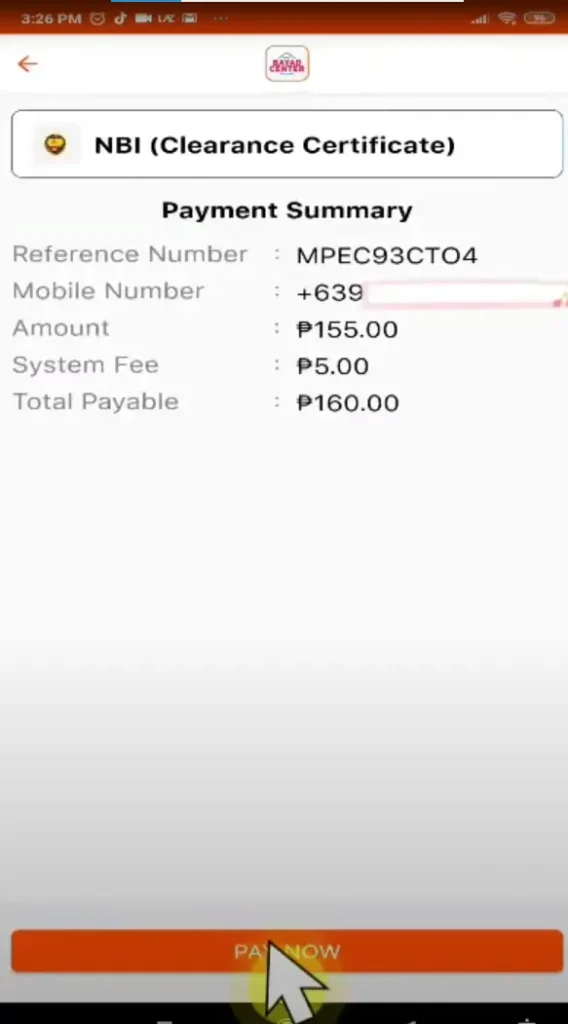 Confirm and proceed with NBI payment
Payment Via Bank over the Counter
If you don’t have an internet connection or prefer conventional methods, then you can choose the bank option. However, the process to process the NBI payment via bank over the counter can be hectic. It is because you have to stand in long queues.
The steps for NBI Clearance fee payment are mentioned below:
Payment through Online Banking
Almost all banks also provide online banking apps to make bill payments easy and quick. Some famous banks, like Union Bank, BPI, UCPB, and Metro Bank, also provide online bank apps for bills.
Here are the complete steps to pay NBI payment by using an online banking option:
Payment via ECPay/MultiPay
The last payment options for NBI Clearance fees are ECPay and MultiPay. Everyone can also use these options to make payments and get a clearance certificate. Moreover, these methods offer both payment options: online and offline.
ECPay (Electronic Commerce Payments)
ECPay is a large network in the Philippines to send and receive payments. It also has several branches in the Philippines to help people make bill payments easy. The steps to pay bill via ECPay are mentioned below:
Payment Via Multipay
It is an advanced version of the Bayad payment. To pay the NBI payment with MultiPay, Filipinos must have a MultiPay wallet.
Here are all the steps explained in detail:
Secure Your Payments with Post-Payments Steps
After you submit your NBI fees, you should follow some steps to secure your payment. If you miss the steps, you can lose your payment and have to resubmit your fees, which can be hectic.
So, to avoid issues or payment, you should follow these steps.
Save your payment receipt.
No matter which process you used to pay your NBI Clearance fees. If it’s an online bank option, ECPay, or any other option, you must save a payment receipt.
You should take a screenshot or multiple copies of your receipt to avoid losing it. If you use your payment receipt, you have to resubmit your fees to get a clearance certificate.
Check payment status
However, you have paid fees and got a receipt, but sometimes the status does not update on the NBI website. Therefore, to avoid problems, you should check your NBI account after some time of paying fees.
If the status does not show paid, then you should contact the support team to know the reason.
Book an appointment For Verification.
After paying fees, you will get an email from the office to get biometric verification. After paying the fee, you must visit the office within 15 days and do the verification.
You should also take two Government-issued IDs and essential documents to complete the application form.
Tips for a Quick and Easy Payment Process
Here are some tips from experts that will help you to make the payment process easy and quick.
Conclusion
I hope you got answer of How to Pay for Your NBI Clearance. If you want to receive an NBI certificate to apply for a job, travel, or visa, you need to pay the fees first. NBI clearance fees are a must to proceed with the application process.
Every Filipino has to pay PHP 130 to get a clearance certificate. However, this fee also varies in some conditions according to the services.
However, you can pay the fees with any of your preferred payment options. Some common options include GCash, 7-Eleven, bank payments, and more.
FAQS

Jessa May Binas-o works as an Executive Assistant at the National Bureau of Investigation Ilocos Regional Office. Since 2019, she’s supported the bureau’s legal and administrative operations with accuracy and care. A Political Science graduate from Saint Louis College, Jessa is passionate about public service and helping citizens clearly understand NBI procedures while promoting transparency, trust, and efficiency in every process.

Thank you for the detailed guide! The updated payment methods for the NBI clearance are really helpful. I appreciate the clarity on the online options – makes the process so much easier. Looking forward to your next post!